
Backfilling a Prometheus Metric - A Simple and Clean Way
This tutorial goes through a method I found to backfill a Prometheus metric with zero values.
Introduction
TL;DR present at the bottom if you want to skip.
If you have stumbled across this post, you might be looking for a way to backfill a Prometheus metric with zeroes.
The method I describe should work universally for all use cases with a few tweaks here and there while preserving all the labels you might need.
For my situation, we had an alert query at work which needed to be rewritten to trigger an alert not only when the counter value of a metric increased but also when the timeseries was first created. This metric was present and creating timeseries with different label values.
After going through multiple StackOverflow threads (probably the same ones you have already gone through) and wisdom from my seniors, below is a method which I eventually landed on after lots of hit and trials by combining all the different tricks and knowledge I came across.
The Method
To begin, I’ll take an example query from node exporter:
node_hwmon_temp_celsius. This tells me the temperature of different hardware
devices if they support it. In the case of my homelab, this is the temperature
of my CPU.
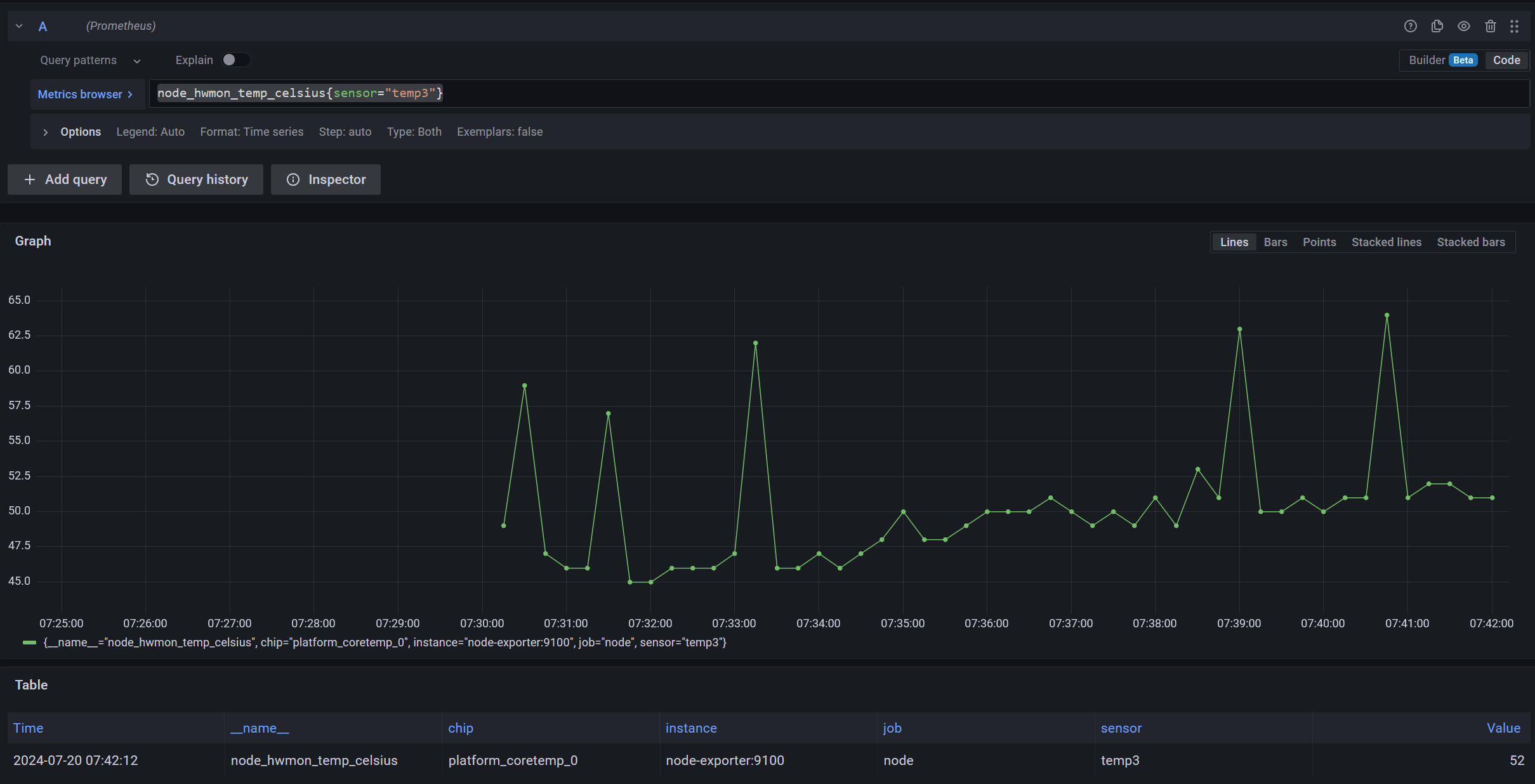
node_hwmon_temp_celsius{sensor="temp3"}
 |
|---|
| The query showing my CPU temp, with a filter to show only 1 time series |
As you can see, there are no metrics before 7:30 AM.
Side note: this is because I have a script running which puts my homelab to sleep
at night and wakes it up in the morning. Check it out here: https://github.com/RoguedBear/12-hour-server
;).
Now, just for the sake of this example, if I want to configure an alert which would notify about changes in the CPU temperature, I won’t be able to get an alert for the first point at 07:30 AM.
This requires me to find a way to backfill the query with 0 so other functions
like increase, irate, etc. can take into account the first point.
We want a virtual timeseries which is 0-value and begins a few moments earlier than the first real timeseries.
Let’s start building the query incrementally now.
Step 1: Offset the query
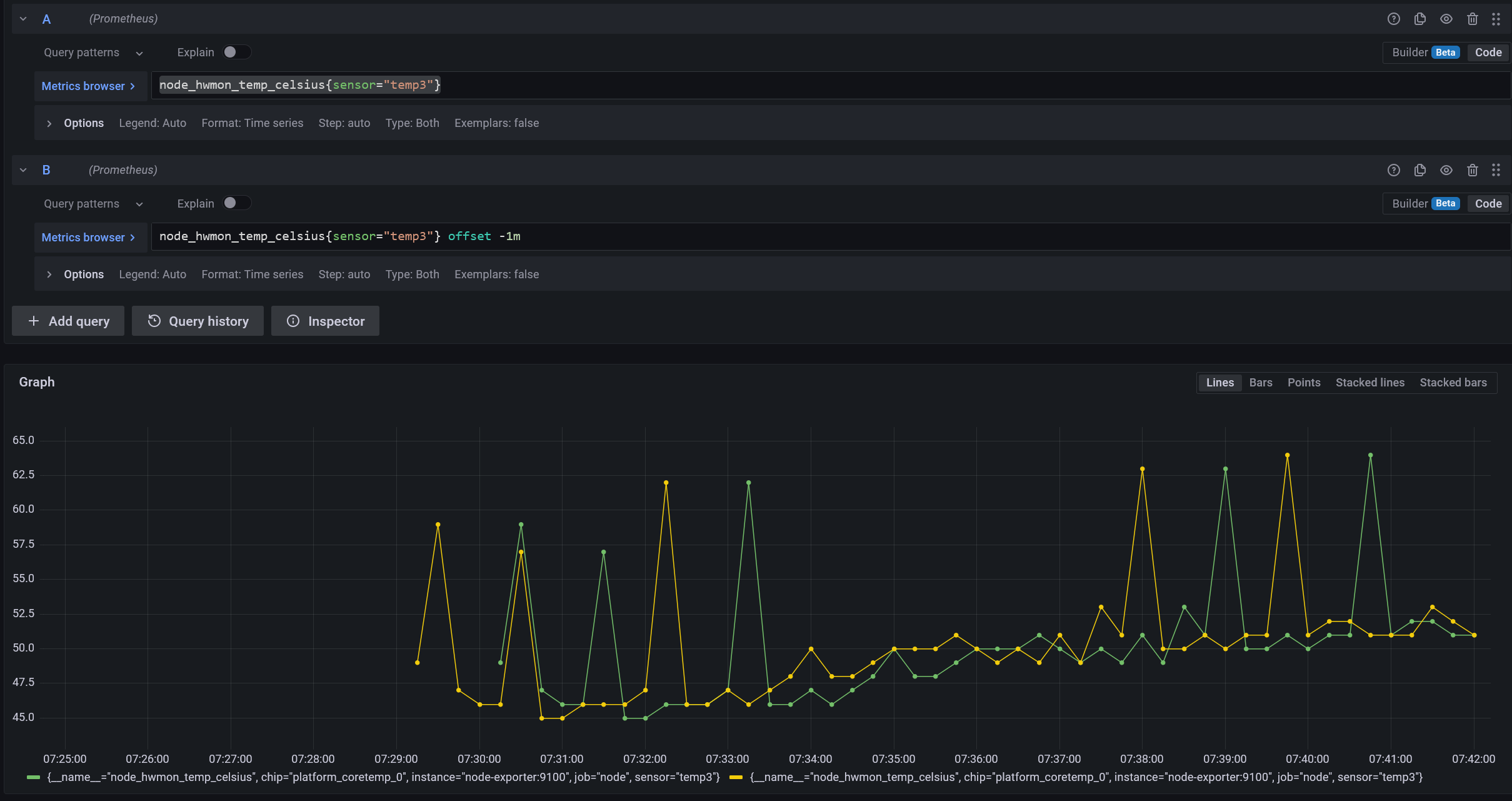
We can start by taking the same metric and offsetting it by -1m.
node_hwmon_temp_celsius{sensor="temp3"} offset -1m
 |
|---|
| We have a virtual timeseries that starts a minute before the real one |
Step 2: Make the new query 0
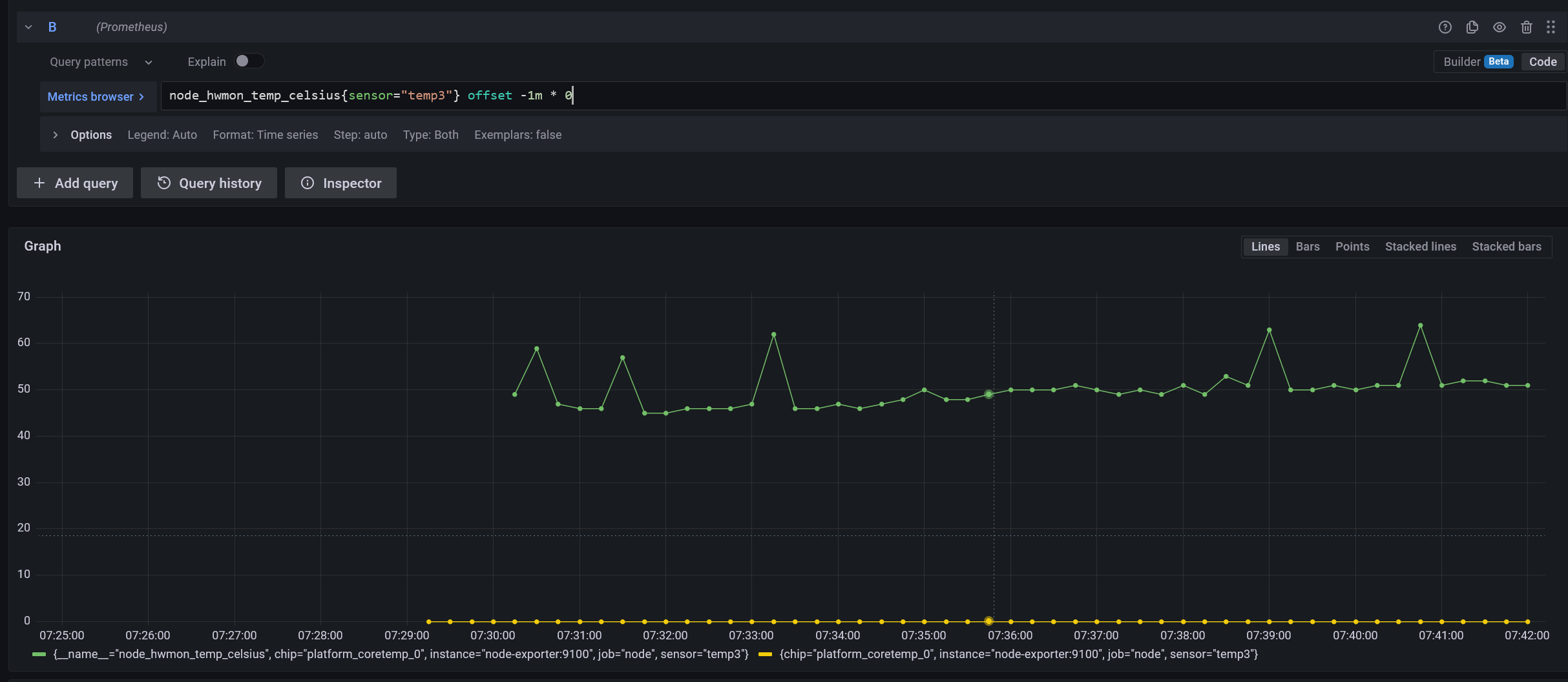
The next step is fairly straightforward: we want the values of all the points before the real timeseries began to be zero.
node_hwmon_temp_celsius{sensor="temp3"} offset -1m * 0
 |
|---|
| The new timeseries starts before the real one & is zero |
Step 3: Combine both the queries into one
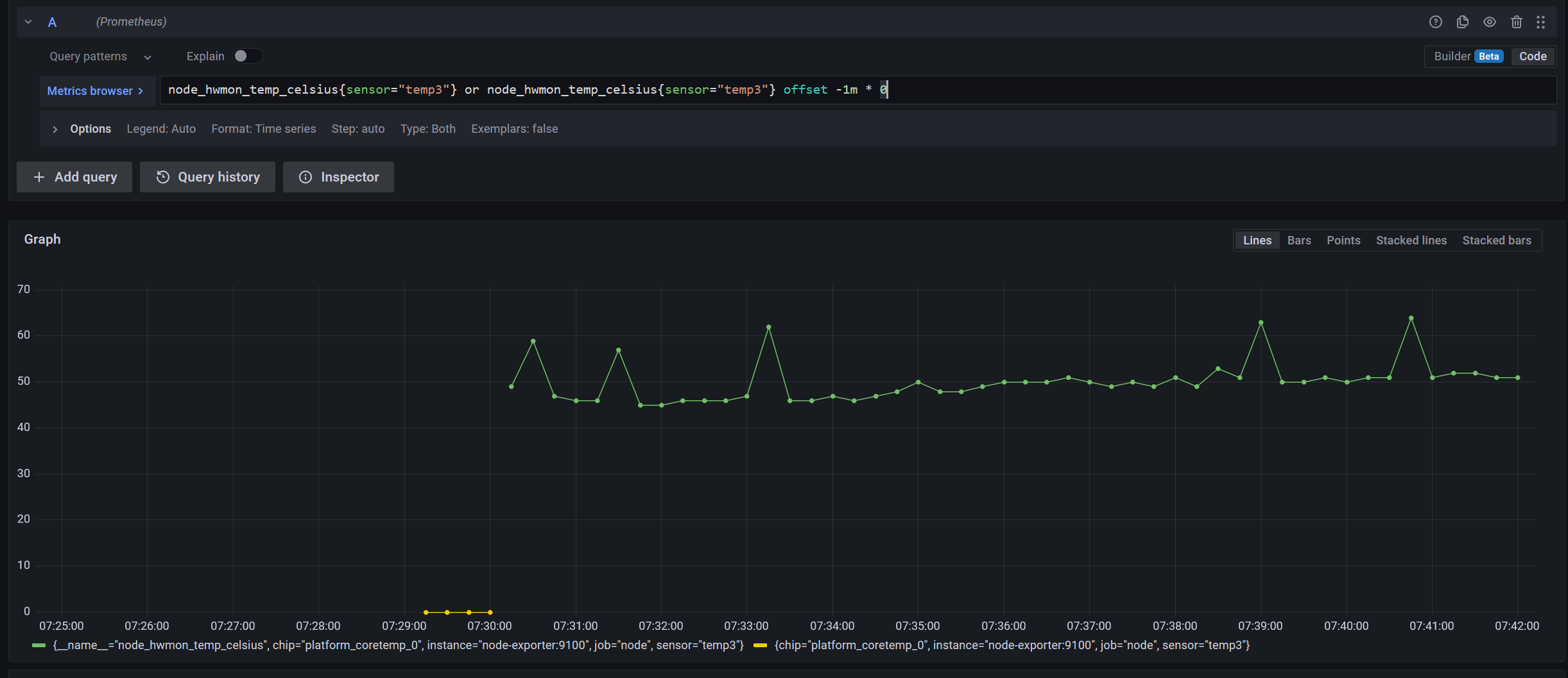
We can combine both the timeseries by doing an or operation.
node_hwmon_temp_celsius{sensor="temp3"} or node_hwmon_temp_celsius{sensor="temp3"} offset -1m * 0
 |
|---|
| We only have the relevant part of the zero-value timeseries |
We’re getting closer to the desired outcome now!
We now have to perform a sum by() to aggregate both these queries into one.
This step would now depend on what your aim is, but you should include at least
one label which would be unique for all timeseries of this metric. In my case,
the sensor label is the uniquely identifying label.
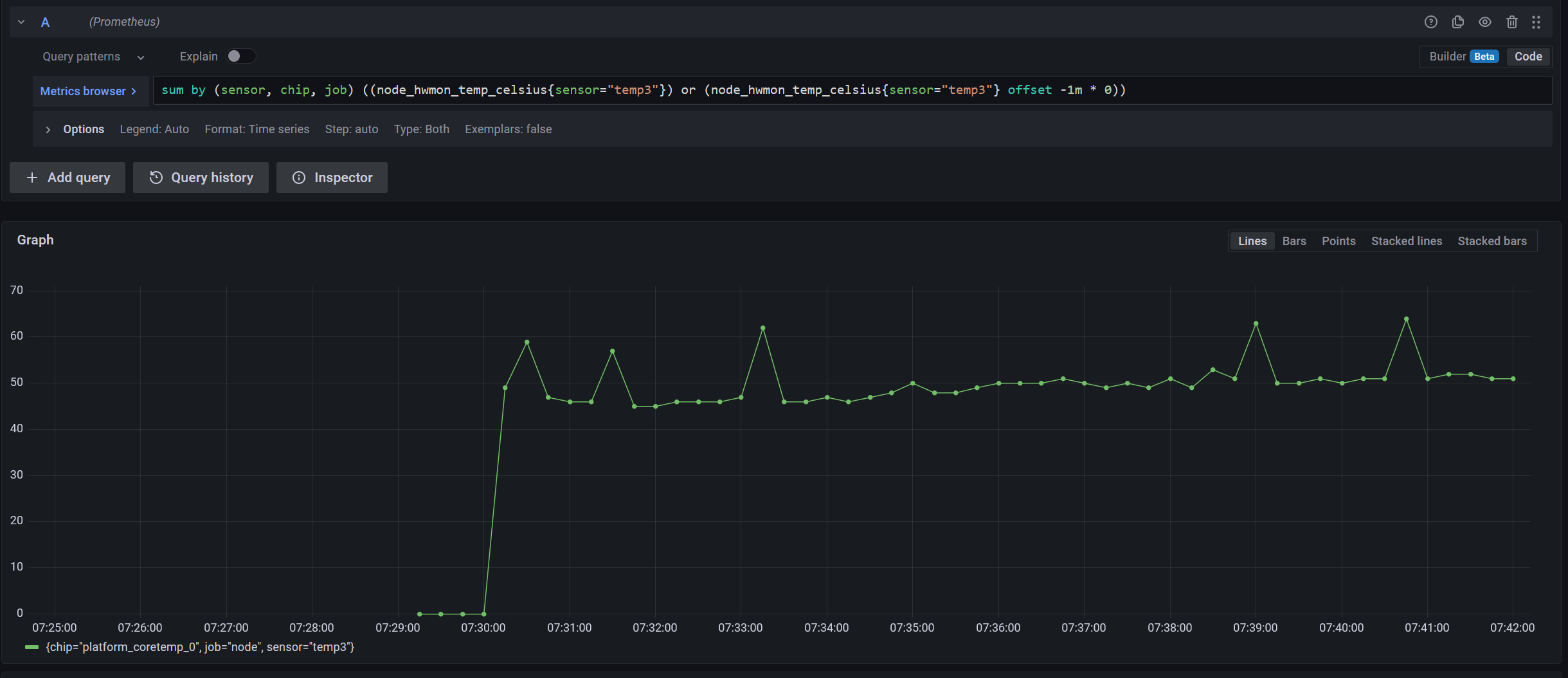
sum by (sensor, chip, job) (
    (node_hwmon_temp_celsius{sensor="temp3"})
  or
    (node_hwmon_temp_celsius{sensor="temp3"} offset -1m * 0)
)
 |
|---|
| We have now aggregated the two separate timeseries into one! 🎊 |
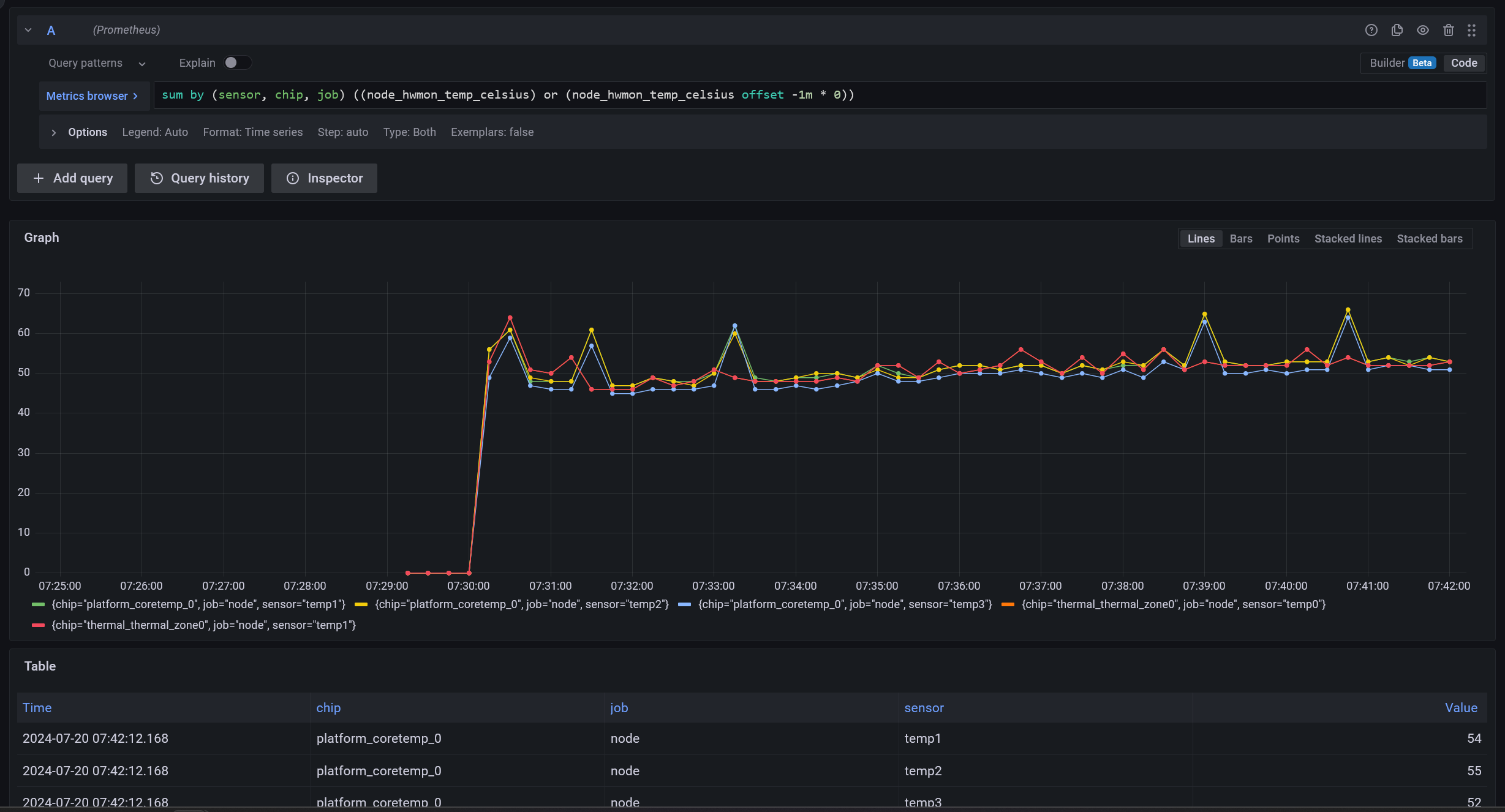
If I remove the filter for sensor=temp3, we’ll see this query has worked for
the other 4 timeseries as well! (imo, the query looks cleaner as well 😎)
sum by (sensor, chip, job) (
    (node_hwmon_temp_celsius)
  or
    (node_hwmon_temp_celsius offset -1m * 0)
)
 |
|---|
| Other 4 timeseries also have zeroes backfilled |
Final Query
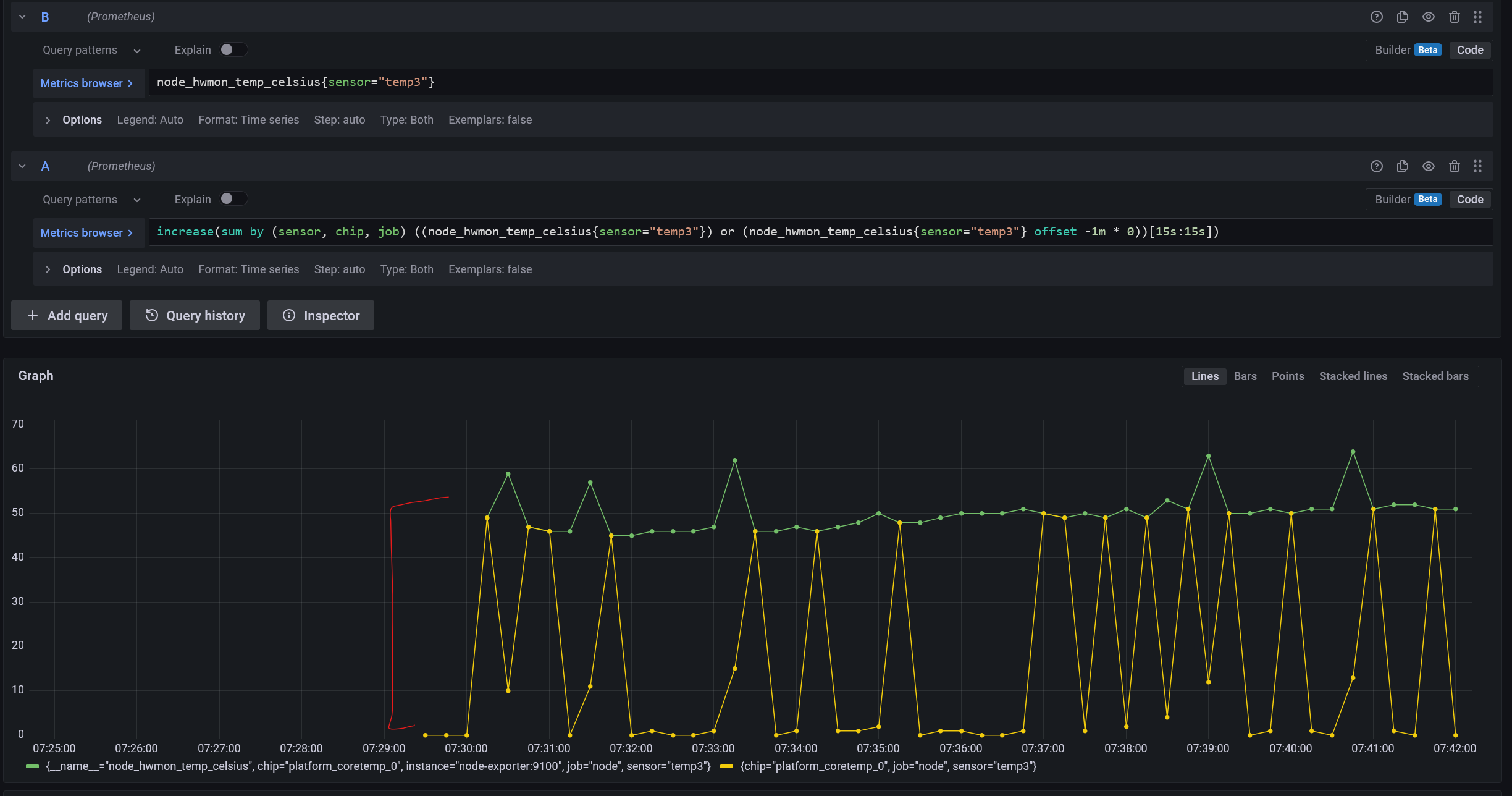
I am now able to apply another function like increase, which is now
calculating for the first point too.
increase(
    sum by (sensor, chip, job) (
        (node_hwmon_temp_celsius{sensor="temp3"})
      or
        (node_hwmon_temp_celsius{sensor="temp3"} offset -1m * 0)
    )[15s:15s]
)
TL;DR
TL;DR for the method:
- Create a query with the same filters as the target query but offset it by
-1m. - Multiply it by
0. - Combine this query with the target query through the
oroperator. -
Aggregate both of them by performing a
sum by()with those labels which would be unique in that timeseries for that context (like container name, deployment’s service name, or if it’s your use case, even pod name).sum by (sensor, chip, job) ( (node_hwmon_temp_celsius) or (node_hwmon_temp_celsius offset -1m * 0) ) - You have now back-filled a metric.
- 💲💲💲profit💲💲💲❓❓